Unattended CNC Machining:
What Makes a Cell Reliable at 2 A.M.
Seven failure points, how to design each one out,
and a staged route to lights-out that a small shop can follow.
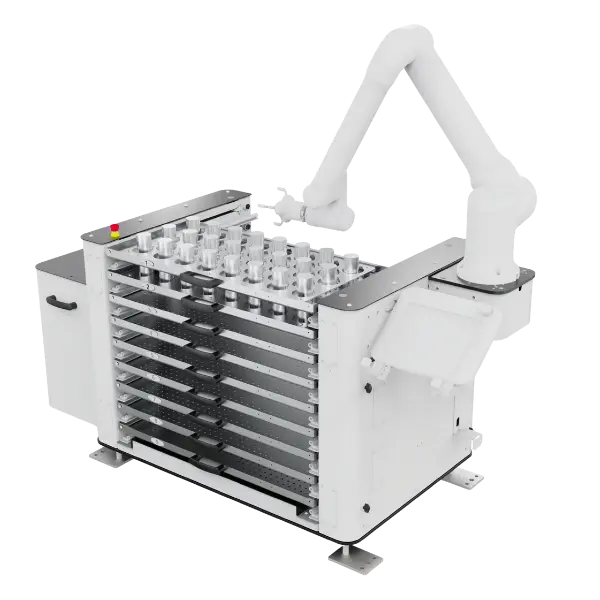
Most unattended machining projects don't fail because the robot is bad. They fail at 2 a.m. on something small: a chip under a jaw, a door that didn't open, a part that sat a millimetre off. Nobody is there, so the cell either stops quietly or keeps making scrap until morning.
Reliable unattended running is mostly about what happens around the robot. Below are the failure points that matter, what to do about each, and a staged way to reach lights-out without betting a whole night's production on day one.
A cell that stops safely at 2 a.m. is a good cell. The expensive one is the cell that keeps going wrong.
Seven Places an Unattended Cell Fails
1. Part supply
The robot picks from coordinates it was taught, so those positions have to stay true for hours. Parts should sit in known places, and the trays or fixtures holding them shouldn't shift. The ProFeeder X offers two tray locking options, AirLock (controlled through digital I/O with compressed air) and MechLock (a manual mechanical lock that needs no compressor). How long the supply lasts is simple arithmetic, which we cover in the robot feeder types guide.
2. The machine door
A robot can't load through a closed door. If someone normally opens it by hand, that step has to be automated, and it has to be dependable. That's the job of a door opener such as the EasyDoor, designed for CNC machine tending. See the EasyDoor guide for how it fits.
3. Chips and coolant
Swarf in the fixture or the jaws is one of the commonest reasons a part doesn't seat. Plan a way to clear the clamping area before each load, such as an air blast or a wash step, and confirm the part is seated before the cycle starts. What works depends on your part and machine.
4. Dimensional drift
Machines warm up and tools wear, so parts can creep out of tolerance over many hours. Common countermeasures are a warm-up routine before the first part, tool life management, in-process probing or gauging that updates offsets, and a way to sample finished parts. How much of that you need depends on how tight your tolerances are.
5. Error recovery
Decide in advance what counts as a fault, such as a missed pick, a part not seated, or a machine alarm. Then decide what the cell does: stop safely, set the suspect part aside, and wait. Endless retrying is the worst option, because it turns one fault into a night of scrap.
6. Monitoring
During staffed hours, a stack light can show that the cell has stopped. For an overnight run, send the machine ID and fault message to the person on call. Test the alert during a supervised run and agree who responds if it goes unanswered.
7. Safety
Guarding stays in place when nobody's watching, and anyone entering a stopped cell needs a defined restart procedure afterwards. We explain how that decision works in the cobot safety enclosure guide.
💡 Quick Facts
• At six minutes per completed part, 80 blanks provide eight hours of input.
• If a separate output tray has only 50 free positions, it fills after five hours. Check when the next tool change or inspection is due, too.
• The robot can't load through a closed door, so the door has to open itself
• Define fault conditions in advance: a cell that stops safely beats one that retries
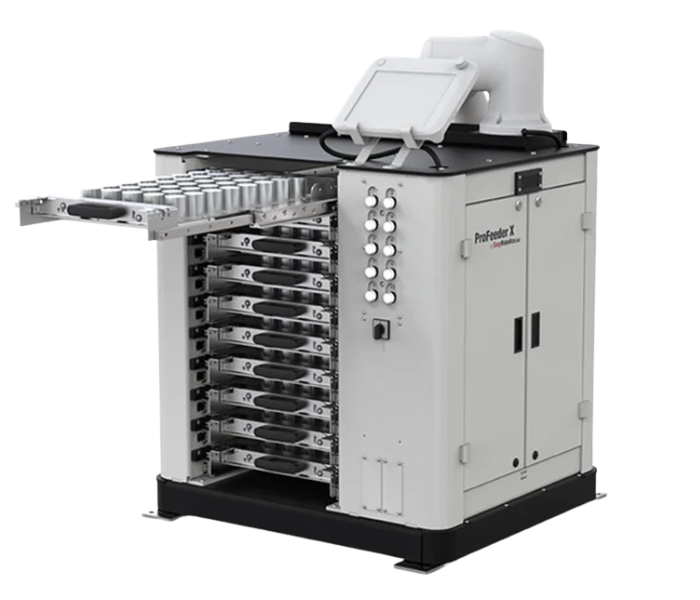
Parts in known, locked positions are the foundation of a reliable pick
The Small-Factory Version of the Problem
A 50-person workshop faces the same seven failure points as a large plant, with fewer people to deal with them. There's usually no robotics engineer, a lot of part variety, little time for changeovers, and nobody keen to be the person called at night.
The answer is to start narrower than feels natural. Pick one machine and one stable part family. Choose a standard, pre-engineered cell rather than a bespoke one. Train two operators so the knowledge isn't held by one person. And keep a simple log of every stop. Small shops that struggle with lights-out usually tried to do too much at once, not too little.
Reach Lights-Out in Stages
You don't have to commit to overnight on day one. A staged approach turns each failure into a lesson while it's still cheap.
Stage 1: Attended
The cell runs while an operator is nearby. Log every stop and its cause.
Stage 2: Through breaks
Let it run through lunch and shift changes, when someone is still in the building.
Stage 3: An evening run
Extend into a few unattended hours, with an alert to a named person.
Stage 4: Overnight
Move here only when the causes of earlier stops are understood and fixed, not merely survived.
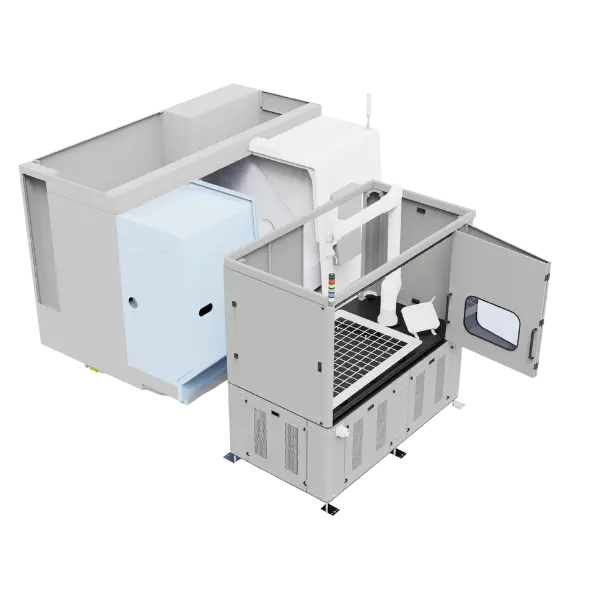
A standard cell on one machine is the right place to prove the process
✅ Before You Run Unattended
• Parts sit in known, locked positions, and part height fits the tray set-up
• The machine door opens automatically and reliably
• There's a plan to clear chips and confirm the part is seated
• Tool wear and drift are covered by probing, tool life limits or sampling
• Fault conditions and stop behaviour are defined, with a place for rejected parts
• The on-call contact has received a test alert with the machine ID and fault message
• Guarding is in place and the restart procedure is written down
If your part, machine or tolerances are unusual, a customised solution may be the better starting point. For the full picture of cobot tending, see CNC machine tending automation.
Frequently Asked Questions
Conclusion
Unattended machining works when the cell is designed around its failure points: parts that stay in known positions, a door that opens itself, chips that get cleared, drift that gets measured, faults that stop the cell safely, and an alert that reaches someone.
Get there in stages, log every stop, and fix the cause before you move on. The shops that reach reliable lights-out are usually the ones that took the slow route to get there.
Planning Unattended Machining?
Share your CNC model, part dimensions, cycle time and target unattended hours.
An EasyRobotics specialist will review the tray capacity and potential causes of downtime for your job, at no charge.