How Does a Cobot Know How to Stack?
Palletizing Patterns and Software Explained
What a pallet pattern is, how it gets into the robot,
and how to test one before you buy.

A palletizing robot doesn't know what a good pallet looks like. Somebody, or some software, has to tell it where each box goes, which way it faces and in what order. That instruction is the pallet pattern, and it quietly decides three things: whether the pallet arrives intact, how many boxes fit on it, and how fast the cell runs.
Most buying conversations spend their time on the robot and the price. The pattern gets mentioned late, usually when someone asks how products will be changed. It deserves earlier attention, because it's cheap to get right on paper and expensive to discover wrong on the floor.
The robot only moves where it's told. A weak pattern gets stacked perfectly, every time.
What a Pallet Pattern Actually Is
A pattern is a map of one layer: the position and orientation of every box, plus how the next layer relates to it. Repeat the layers up to the stack height and you have a pallet. Three families cover most cases.
• Column stacking
Every layer is identical, with boxes directly above each other. Load passes straight down through the boxes, which makes good use of their compression strength. The weakness is that nothing locks the layers together, so a stack can lean or shift in handling.
• Interlocked (brick) patterns
Alternate layers are rotated or offset, so each box bridges the joints below it. The stack resists sideways movement much better, usually at the cost of some compression strength.
• Pinwheel patterns
Boxes are arranged around a central point in a rotating layout. It can improve how well boxes fit a given pallet and add stability, depending on the box proportions.
Which is right depends on your packaging, how the pallet is moved, and how it's stored or shipped. If you're unsure, ask your packaging engineer or customer for any stack requirements before choosing.
Why the Pattern Drives the Results
Stability is the obvious one. Utilisation matters too: a pattern that fits one more box per layer adds up over thousands of pallets, as long as it respects any overhang limits your customer or carrier sets.
Cycle time is the less obvious one. Every extra gripper rotation, every awkward position at the edge of the robot's reach and every box that needs a different orientation adds seconds. A slightly less dense pattern that the robot can place quickly can beat a denser one that slows every pick. If labels must face outward, say so early, because it constrains the gripper design and the cycle time.
Both pallet positions need to be reachable for every box position in the pattern
How the Pattern Gets Into the Robot
There are three broad routes, and they differ mostly in how painful a product change is.
• Hand-programmed waypoints
Someone teaches each position. It works for a single product that never changes, and becomes a chore the moment box size or pallet height does.
• The robot maker's palletizing wizard or add-on
Many cobot makers and third-party vendors offer one. You enter box size, pallet size and layer count, and it generates the positions. It's the usual middle ground.
• Dedicated palletizing software with stored recipes
Each product has a saved pattern, and changing product means selecting a recipe rather than reprogramming. This matters most when the line makes many products.
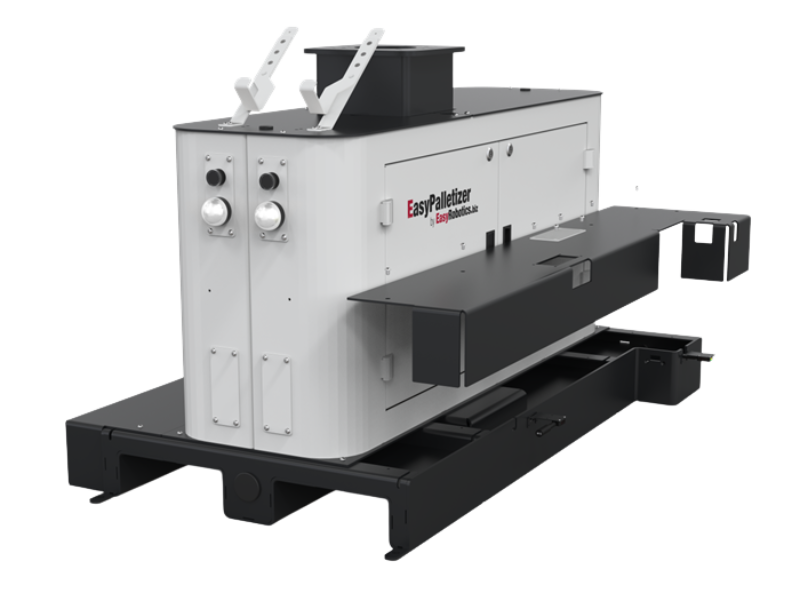
With the EasyPalletizer, the platform doesn't make the pattern decision for you. EasyRobotics advises specifying the platform, robot, gripper, conveyor interface, software and safeguarding together, and robot suitability is checked for the exact model. So pattern software belongs in the same conversation as the robot, not after it.
💡 Quick Facts
• A pattern defines box position, orientation and layer-to-layer relationship
• Column stacking favours compression strength; interlocking favours lateral stability
• Extra rotations and edge-of-reach picks add cycle time
• Tall stacks may need a lifting column; EasyPalletizer Flex offers one with a 900 mm stroke
Simulate Before You Buy
A simulation, or a supplier's layout review, is the cheapest way to find problems. It checks that the robot can reach every position, including the far corners and the top layer. It looks for collisions with pallet guides, the conveyor and guarding. It confirms the gripper can actually adopt each orientation the pattern calls for. And it gives an estimated cycle time you can compare with your required boxes per minute.
Treat the result as a model, not a promise. Real cartons vary, corners get crushed, and surfaces grip differently from the CAD file. Test with your actual boxes before committing. EasyRobotics reviews a layout and representative box details to assess reach, cycle time and pallet exchange. The same review covers the safeguarding side, which we explain in the palletizer safety guide.

Platform drawings are the starting point for checking reach and layout
✅ Send This to Get a Pattern Checked
• Box dimensions and weight
• Pallet size and maximum loaded height
• Target stack height and any stack or overhang requirements
• Conveyor height and required boxes per minute
• Preferred robot model, available floor space, and a layout or photos
Questions to Ask a Supplier About Pattern Software
These separate a supplier who has thought about changeovers from one who hasn't.
• Is the pattern software in the quote?
Or is it a separate line item, and from whom?
• Can an operator switch products?
By selecting a stored recipe, or does it need someone with programming skills?
• Can I preview the pattern before it runs?
A 3D preview catches mistakes before a box is dropped.
• What happens with an awkward product?
Large differences in box size, weight, rigidity or pallet height can still mean gripper, conveyor, reach or safeguarding changes, so ask what's covered.
If your products vary a lot or the pattern is unusual, a customised automation solution may suit better than a standard configuration. For the broader picture of cobot palletizing, start with the automated palletizing guide.
Frequently Asked Questions
Conclusion
A palletizing cell is only as good as the pattern it follows. Choose the pattern for the load and the journey the pallet will take, check that the robot can place every box quickly, and decide early how products will be changed.
Test the plan in simulation, then with real boxes. It's a small effort next to finding out on the production floor.
Want Your Pattern Checked Before You Buy?
Send your box dimensions and weight, pallet size, stack height, conveyor height and required rate.
EasyRobotics will review reach, cycle time and layout — at no charge.