Palletizer Safety: How a Cobot Cell Stays
Safe While Operators Change Pallets
Why "it's a cobot" isn't a safety plan,
and what a palletizing cell actually needs.
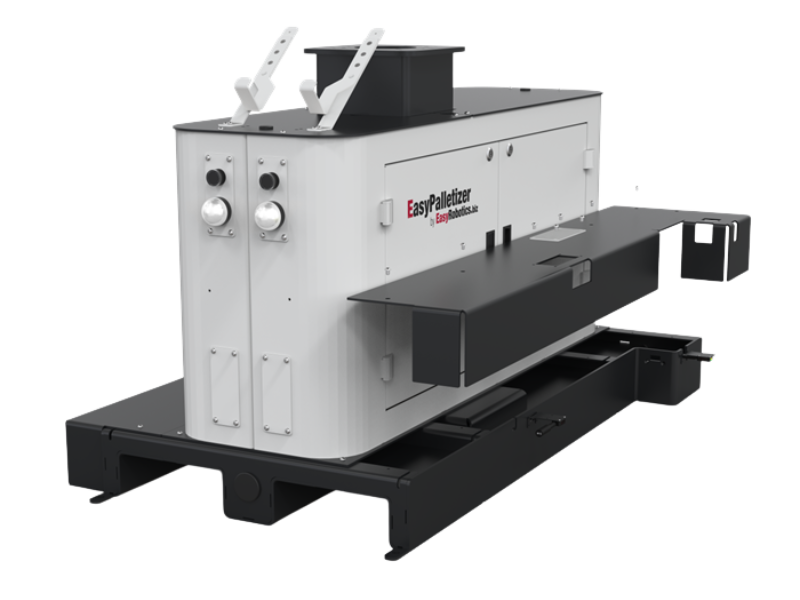
One question stalls more palletizing projects than price does: if a person is changing a pallet on one side, what stops the robot from reaching them? "It's a collaborative robot" is not an answer.
A palletizing cell is a different safety problem from a robot working beside a bench. The robot is moving boxes, sometimes heavy ones, at a steady pace, and a person has to get to the pallet every few minutes. Safety comes from how the whole cell is designed, not from any single component.
Here is how to think about it, what the individual pieces do, and what the sensors on a platform like the EasyPalletizer do not do.
Pallet sensors tell the robot where the pallet is. They don't tell it where you are.
Why Palletizing Is a Different Safety Problem
A risk assessment for a palletizing cell looks at the specific hazards of the job. These are typical examples, not a complete list.
• The load
What the robot moves is the box plus the gripper. A force limit that suits a light part may not cover a loaded gripper carrying a full carton at palletizing speed.
• Access
Operators need regular access to remove full pallets and place empty ones. That access point is where a person and the robot's working area meet.
• Reach
The robot's envelope usually covers both pallet positions. The question is which parts of it a person can enter, and at what moment.
• The stack
A tall or unstable stack can be a hazard on its own, separate from the robot's movement.
What Force Limiting Does, and Where It Stops
A cobot limits the force and speed of its own movement so that contact with a person can be kept within accepted limits. That works well for light parts moved slowly. Palletizing tends to push past it: heavier loads, higher speeds and a gripper that adds weight and sharp edges.
So a common approach is to add safeguards around the arm, such as area scanners or light curtains, sometimes together with fixed guarding. Which combination is right comes from the risk assessment. We explain how that decision works in the cobot safety enclosure guide, which is written around welding and tending but follows the same logic.
Changing a Pallet While the Robot Keeps Working
This is the main reason to want two pallet positions. The robot fills one pallet while an operator swaps the other, so the line doesn't stop for every pallet change. The EasyPalletizer has left and right pallet zones, and the robot switches sides when a pallet is complete.
Swapping one side while the other is being processed only works when the cell is built for it. In principle that means a protective device covering each pallet side, control logic that keeps the robot out of a side while someone is in it, and a defined way to confirm the operator has left before the robot returns. EasyRobotics is direct about this on the product page: processing one side while exchanging the other requires suitable cell safeguards and validated control logic.
💡 What the Platform Gives You, and What It Doesn't
• Does: two pallet positions, four diffuse sensors that report pallet presence, two configurable push buttons, two configurable RGB lamps, and a pre-wired I/O distributor
• Does: let the control system check correct pallet docking before a cycle starts
• Does not: provide the complete cell safety system. Pallet sensors and status lamps alone are not a safeguard
• The options list includes a cover for a laser scanner, which reflects how scanner-based safeguarding is commonly specified; the scanner and safety logic are defined per project
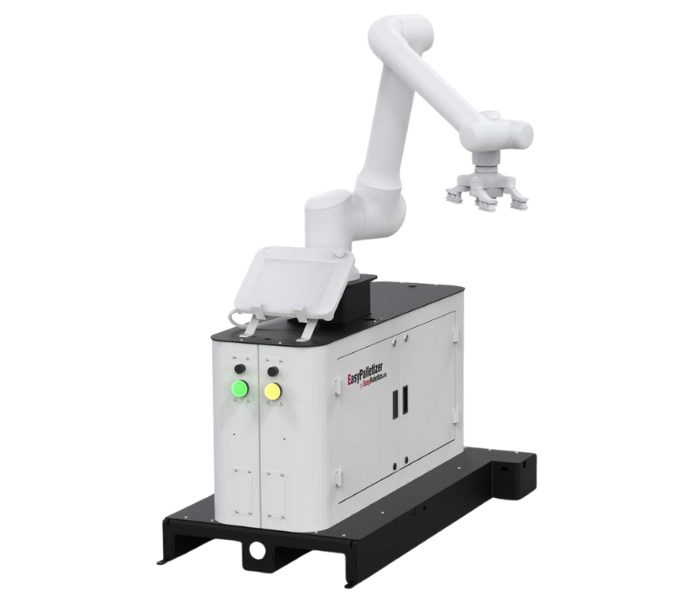
Pallet detection confirms docking. Protecting the person at the pallet is a separate job
The push buttons and lamps are still useful for the workflow. The buttons can be assigned to functions like pallet confirmation, reset or release, and the lamps give status feedback for each pallet side. One sensible use is a lamp colour that tells an operator at a glance whether the robot is working at that side. It's a workflow aid that supports good practice, and it sits alongside the safeguards.
Specify the Whole Cell Together
The platform is one part of a palletizing cell. EasyRobotics states that the platform alone is not a commissioned palletizing cell and advises specifying the platform, robot, gripper, conveyor interface, software and safeguarding together. Treating safeguarding as an afterthought is how projects end up over budget or delayed at sign-off.
✅ Specify These Together
• The robot, gripper and the heaviest box, with the gripper's weight counted in the payload
• Safeguards for each pallet side, and who can enter which side, and when
• Safety logic validated for pallet exchange and for restart behaviour
• Floor space for both pallets, operator access and the safeguards themselves
• Floor anchoring and commissioning, with a recheck after any relocation
• A risk assessment of the finished cell, signed off by someone accountable for it
Moving the Cell Later
The platform has fork pockets, so it can be relocated when a line changes. After a move it needs to be secured to a suitable floor with M12 anchor bolts, and then the robot positions, pallet sensors, control sequence and safeguards all need rechecking before production restarts. Moving the base changes the geometry that the safety design relied on, so treat a relocation as a change that needs its own check.
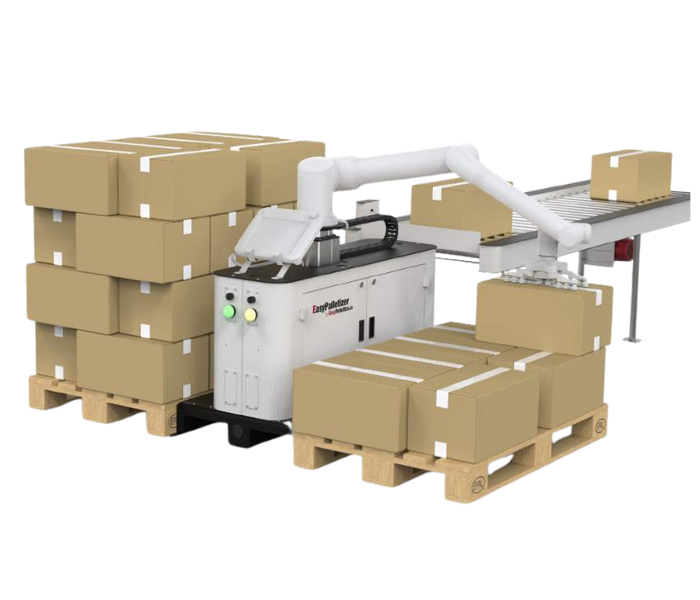
Fixed pedestal options at 835 mm and 1200 mm; allow extra floor space for access and safeguards
If your layout has several access points, unusually heavy boxes or an awkward footprint, a customised automation solution is a better starting point than a standard configuration. For the wider palletizing picture, see our robotic palletizing overview.
Frequently Asked Questions
Conclusion
A cobot palletizing cell is safe because of how it's designed, not because of the label on the arm. The robot, the gripper, the safeguards on each pallet side, the control logic and the risk assessment all have to be specified together.
Ask any supplier who carries out the assessment and who signs off the finished cell. A straight answer to that question tells you most of what you need to know.
Planning a Palletizing Cell?
Send your box weight and size, pallet size, stack height, conveyor height and layout.
EasyRobotics will review the robot, pedestal and safeguarding requirements — at no charge.