Cobot Automation ROI: How to Calculate
Your Payback Period by Application
The formula, the variables, and worked examples for CNC tending, palletizing,
welding, and dispensing — so you know your numbers before you commit.
Every automation conversation eventually arrives at the same question: what does it actually pay back, and how fast? The answer matters more than any specification sheet or feature list — because the specification only matters if the investment is financially justified within a timeframe the business can accept.
The frustrating reality is that "cobot ROI" is not one number. A ProFeeder cell on a two-shift CNC lathe with a €45/hour labour cost pays back in a very different timeframe than a dispensing cell on a single-shift assembly line with a €28/hour operator cost. The formula is the same; the inputs — and therefore the result — are specific to your operation.
This guide works through the ROI calculation properly. First, the universal formula and the variables that drive it. Then, worked examples for each of the four main EasyRobotics application areas — CNC machine tending, palletizing, welding, and dispensing — with realistic numbers drawn from actual customer deployments. Finally, a sensitivity analysis showing which variables to optimise if your initial payback period is longer than you need.
"I ran the numbers myself before approaching EasyRobotics — I thought I had a 14-month payback. When we included the output uplift from running two shifts instead of one, it came down to under eight months. The shift structure was the variable I had underweighted completely." — Mikkel T., Production Director, EasyRobotics Customer
The ROI Formula — and Why Simple Payback Is the Right Starting Point
Before getting into application-specific calculations, the underlying formula needs to be clear. The most useful financial metric for evaluating a cobot automation investment is simple payback period — not NPV, not IRR, not EBITDA impact. Simple payback is what finance teams and operations managers can evaluate without a financial model, and it is the metric EasyRobotics customers use when making the internal business case.
📐 The Core ROI Formula
Payback Period (months) =
Total System Investment ÷ Monthly Net Saving
Where Monthly Net Saving =
+ Monthly Labour Saving (operators freed or redeployed × all-in hourly cost × monthly hours)
+ Monthly Output Gain (additional parts produced × margin per part)
− Monthly Maintenance Cost (typically €200–€500/month for cobot systems)
− Monthly Financing Cost (if the investment is financed rather than purchased outright)
Three things are worth noting about this formula before applying it. First, the "total system investment" for a cobot automation deployment is significantly lower than most manufacturers initially assume — because EasyRobotics cells require no safety cage, no floor modifications, no integration engineer, and no weeks-long commissioning project. The EasyRobotics ROI Calculator uses €25,000–€120,000 as the realistic investment range across the product portfolio, with most single-machine CNC tending deployments landing in the €35,000–€65,000 band (cobot arm included).
Second, the output gain — additional parts produced because the machine now runs more continuously — is the savings stream that most manufacturers initially omit from their calculation, and it is frequently the one that tips the payback from 14 months to 8 months. It requires knowing your current machine utilisation and the margin on additional output, both of which your production data will have.
Third, the monthly maintenance cost for a cobot system is genuinely low — collaborative robots are designed for minimal maintenance, and EasyRobotics mechanical cells have no hydraulics, no complex pneumatics, and no high-wear components. Budget €200–€500/month as a realistic ongoing cost and you will not be surprised.
The Three Variables That Determine Whether You Pay Back in 6 Months or 18
Of all the inputs in the ROI formula, three have a disproportionate impact on the payback result. Understanding these — and how to optimise them — is more valuable than refining the minor inputs.
Variable 1: Number of Shifts
This is the single biggest ROI multiplier available. A cobot cell operating across two shifts generates twice the labour saving and twice the output gain of the same cell on one shift — against the identical investment figure. Moving to three shifts, with a lights-out overnight window the cobot handles unattended, triples those streams. The system cost does not change; the denominator in the payback formula doubles or triples.
In practical terms: a CNC tending cell with a 14-month payback on one shift becomes a 7-month payback on two shifts. The cell becomes even more attractive when the overnight shift requires no operator at all — the ProFeeder's multi-tray capacity handles a full shift's worth of blanks without human intervention, so the "third shift" is essentially free labour saving.
Variable 2: All-In Labour Cost
The all-in hourly cost of an operator — base wage, employer social contributions, holiday pay, sick leave, and any shift premiums — varies significantly across European markets. A Scandinavian operator may cost €45–€55/hour all-in; a Central European operator may cost €18–€25/hour. The ROI calculation is linearly proportional to this figure. For manufacturers in higher labour cost markets, payback periods are consistently shorter even on lower-volume applications because the labour saving per shift-hour is larger.
The calculation should always use the all-in cost, not the base salary. Employer contributions, statutory benefits, and agency premiums for cover shifts routinely add 35–50% to the base wage in EU markets — omitting them understates the labour saving by a material amount.
Variable 3: Current Machine Utilisation
The output gain in the ROI formula is proportional to how much additional production capacity automation unlocks. A CNC machine currently running at 55% utilisation that moves to 88% with a cobot generates 60% more output per shift — a significant revenue uplift that belongs in the calculation. A machine already running at 85% efficiency (unusual in manual environments, but possible) has less headroom to unlock, and the output gain savings stream will be correspondingly smaller.
EasyRobotics customers consistently report utilisation moving from the 40–60% range (typical for manual tending) to 85–92% range after cobot deployment. If you do not know your current utilisation figure, a week of OEE tracking will reveal it — and the result is frequently more revealing than expected.
ROI by Application: CNC Machine Tending
CNC machine tending is the highest-ROI application in the EasyRobotics range for most manufacturers, because it addresses both savings streams simultaneously — direct labour (the tending operator) and output gain (the machine runs more continuously). The ProFeeder family is purpose-built for this application.
📊 Worked Example — CNC Tending, Two Shifts
Operation: One CNC lathe, two shifts, one dedicated tending operator per shift
Operator all-in cost: €42/hour × 8h × 2 shifts × 250 days = €168,000/year
Current machine utilisation: 52% → automated: 88%
Output gain value: 36pp utilisation gain × 480 parts/day × €0.80 margin = €55,300/year
System investment (ProFeeder + cobot): €52,000
Annual maintenance: €3,600
Annual net saving: €168,000 + €55,300 − €3,600 = €219,700
Payback period: €52,000 ÷ (€219,700 ÷ 12) = 2.8 months — or conservatively adjusted for partial labour redeployment: 6–8 months
The conservative figure accounts for the realistic scenario where the displaced operator is redeployed rather than made redundant — the saving is captured as productivity gain on their new role rather than a direct headcount cost reduction. Even on this more conservative basis, CNC tending payback in a two-shift operation consistently falls within 6 to 8 months.

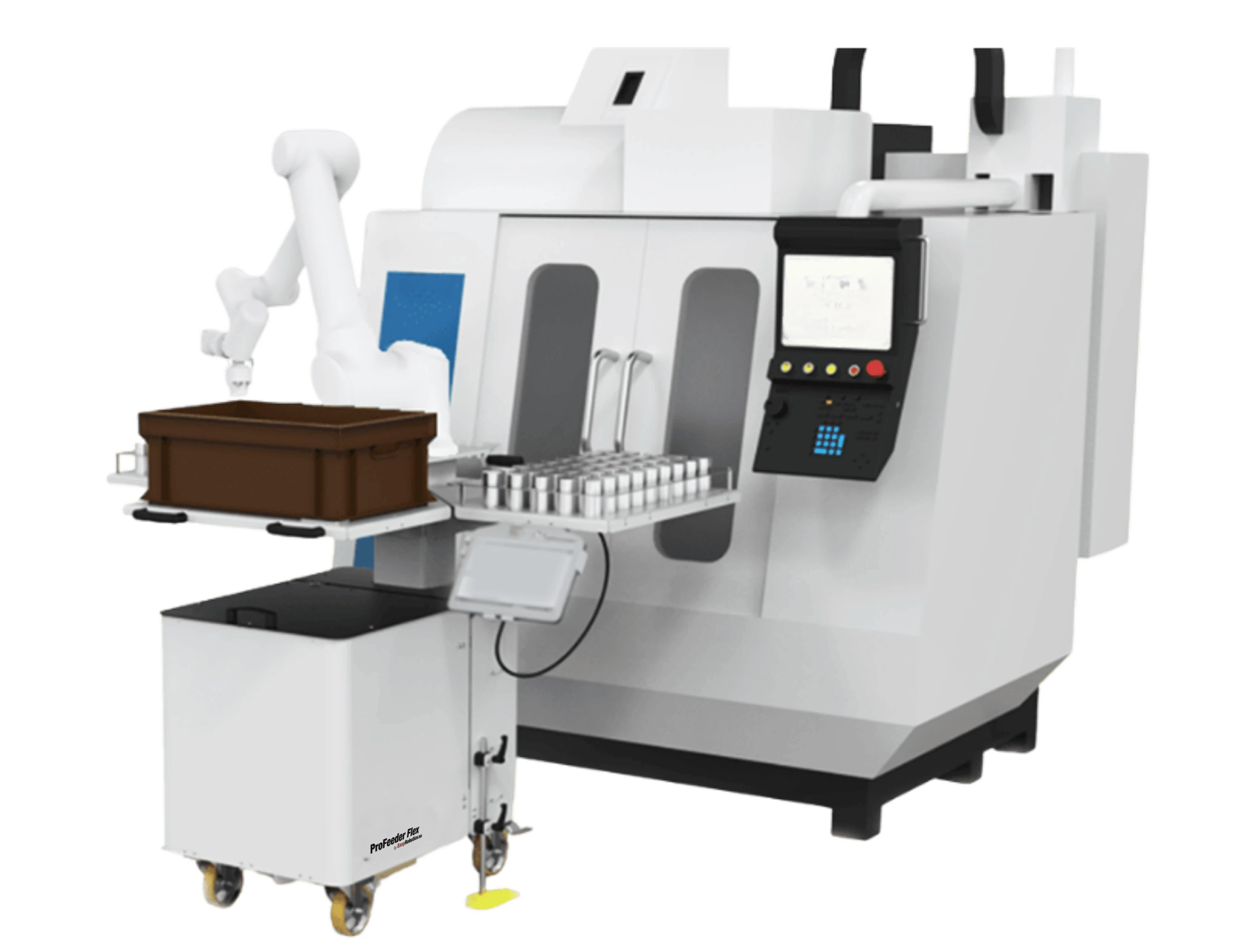
ProFeeder Mover — mobile CNC tending cell, deployable across multiple machines to spread the investment across a wider ROI base
ROI by Application: Palletizing
Palletizing ROI is driven primarily by labour saving and injury cost avoidance, with output gain playing a secondary role (palletizing is rarely the production bottleneck — it is the labour cost and the injury exposure that dominate). The EasyPalletizer family covers entry-level to high-capacity applications.
📊 Worked Example — Palletizing, Two Shifts, Food Manufacturing
Operation: One end-of-line palletizing station, two shifts, one operator per shift
Operator all-in cost: €36/hour × 8h × 2 × 250 = €144,000/year
Injury avoidance saving (1 MSI claim/year at avg cost): €15,000/year
System investment (EasyPalletizer + cobot): €58,000
Annual maintenance: €4,200
Annual net saving (conservative redeployment basis): ~€95,000–€115,000
Payback period: 6–7 months
The injury avoidance figure deserves particular attention for palletizing applications. Heavy manual handling is the single most common cause of manufacturing workplace injuries in the EU. One musculoskeletal injury claim — covering sick pay, temporary replacement, insurance impact, and management time — typically costs the business €10,000–€25,000 in direct costs, plus the more difficult-to-quantify impact on employer liability insurance premiums in subsequent years. Including a realistic injury avoidance figure in the palletizing ROI calculation is not speculative — it is accounting for a cost the operation has almost certainly already incurred.
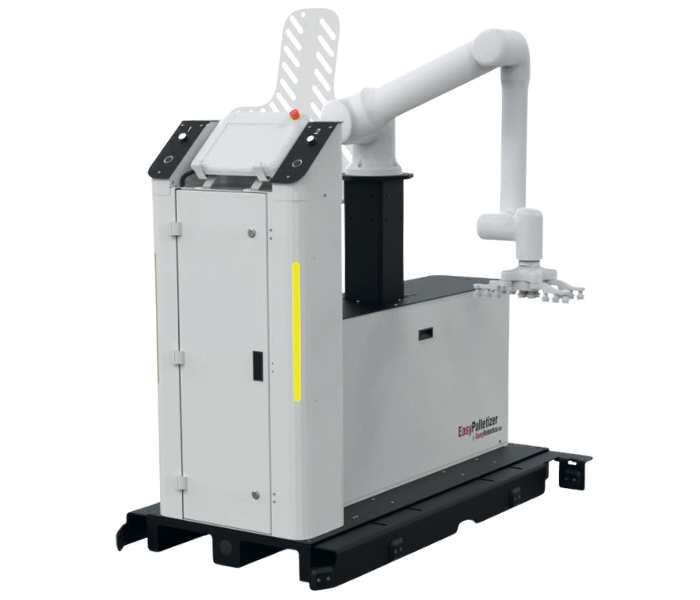
EasyPalletizer Pro — high-capacity cobot palletizing, the ROI case strengthened by labour saving, injury avoidance, and consistent throughput
ROI by Application: Welding and Dispensing
Welding and dispensing applications have a different ROI profile from CNC tending and palletizing. The labour saving is typically smaller (skilled welders and dispensing operators are not easily redeployed to unrelated tasks), but the quality savings — weld consistency, adhesive coverage reliability, rework elimination — can be very large and are often the dominant payback driver in these applications.
Welding ROI
For the EasyWeld Station, the ROI calculation needs to include: direct labour saving (welders redeployed from repetitive batch welding to setup, inspection, and complex work), weld quality improvement savings (reduced scrap, rework, and warranty claims from inconsistent manual welds), and throughput gain (consistent cycle times unaffected by welder fatigue or changeover time). Typical payback for welding automation is 10–18 months, with operations experiencing high scrap rates or warranty exposure sitting at the faster end of that range.
Dispensing ROI
For dispensing applications, the dominant savings streams are material waste reduction (robotic dispensing applies exactly the specified volume — manual application typically over-applies by 15–30% as a safety margin), rework elimination (adhesive coverage failures discovered at inspection are expensive to correct on bonded assemblies), and health and safety cost avoidance (removal of operator exposure to adhesives containing isocyanates or solvents). Dispensing payback typically falls in the 8–14 month range for applications with meaningful material cost and rework exposure.
📊 Payback Ranges by Application — EasyRobotics Customer Data
CNC Machine Tending (2+ shifts): 6–8 months
Palletizing (2+ shifts, high labour cost market): 6–9 months
CNC Machine Tending (1 shift): 10–14 months
Palletizing (1 shift): 12–16 months
Welding (moderate production volume): 10–18 months
Dispensing (high material cost / rework exposure): 8–14 months
Sensitivity Analysis: What to Change If Your Payback Is Too Long
If your initial ROI calculation produces a payback period that is longer than your business will approve — typically anything beyond 18–24 months for a capital investment of this scale — there are four levers to examine before concluding the project is unviable.
• Add a second shift
This is the most powerful single change available and is often the first recommendation from EasyRobotics engineers when a one-shift payback is too long. The cobot does not cost more to run two shifts. The only additional cost is the energy consumption, which is negligible relative to the doubled savings streams.
• Include the output gain, not just the labour saving
Many internal business cases are built on labour saving alone, because it is the easiest figure to calculate. Output gain — additional production capacity enabled by higher machine utilisation — is frequently omitted despite being a real and material savings stream. If you have the utilisation improvement figure and the margin on additional output, include it.
• Deploy one cell across two machines
The ProFeeder's lockable castor mobility means a single system investment can serve two CNC machines on staggered shift schedules. If machine A runs mornings and machine B runs afternoons, the same ProFeeder tends both — doubling the effective savings from a single investment at no additional cost.
• Review the total investment figure against realistic alternatives
If you received a quotation for a bespoke integration that includes safety caging, floor modifications, and integration engineering fees, compare it to the EasyRobotics plug-and-play equivalent. The same functional outcome — automated machine tending, palletizing, or welding — often costs 30–60% less as an EasyRobotics modular system, which changes the payback calculation materially.
"The first quote we got for CNC tending was €140,000 for a bespoke cell with a safety cage and integration fees. The EasyRobotics ProFeeder did the same job for €52,000. That was the number that made the internal business case straightforward." — Jens P., Operations Manager, EasyRobotics Customer
How to Use the EasyRobotics ROI Calculator
The EasyRobotics ROI Calculator is built around the same formula described in this guide. It takes three categories of input: current labour costs (number of operators, all-in hourly rate, shifts per day), current production performance (machine utilisation percentage, parts per hour, value per part), and automation investment (system cost including the cobot arm, estimated annual maintenance, and expected utilisation gain).
The calculator outputs four figures: estimated payback period in months, annual net saving (labour plus output gain, minus maintenance), annual labour saving, and five-year net return. These four numbers are the foundation of the internal business case — they answer the CFO's question before it is asked.
Three practical tips for getting the most accurate output: First, use your all-in operator cost, not just the base salary — the calculator's output will be more conservative and more credible as a result. Second, enter your current machine utilisation honestly — if you are at 52%, enter 52%, not 70%. The output gain calculation depends on this figure. Third, run the calculator twice: once for your current single-shift operation, and once for a hypothetical two-shift scenario. The difference between those two outputs is the value of adding the second shift, which is often a more persuasive number than any other figure in the business case.
Frequently Asked Questions
🔗 Calculate Your ROI — Application-Specific Tools and Pages
• EasyRobotics ROI Calculator — enter your actual numbers, get your payback period and 5-year return
• CNC Machine Tending Automation — the highest-ROI application in the range
• ProFeeder Tray — the most widely deployed CNC tending cell
• EasyPalletizer — end-of-line palletizing with same-day deployment
• EasyWeld Station — enclosed cobot welding cell for fabrication shops
• Robotic Workstation Guide — choosing the right platform before running your ROI numbers
Conclusion
Cobot automation ROI is not a single number — it is a calculation with specific inputs that vary by application, shift structure, labour cost, and current machine performance. The formula itself is simple; what matters is using the right inputs and including both savings streams — labour saving and output gain — rather than presenting only the easier of the two to your finance team.
The three variables that dominate the result are the number of shifts, the all-in operator cost, and the current machine utilisation. If the first cut of your calculation produces a payback that is too long, those three variables are where to look first — particularly the shift structure, which is the most powerful lever available at no additional investment cost.
The EasyRobotics ROI Calculator operationalises this framework for your specific numbers. Run it with your current data. Then run it again with a two-shift scenario. The difference between those two outputs is often the number that changes a decision.
Calculate Your Automation ROI in Under 2 Minutes
Enter your operator costs, machine utilisation, and system investment.
Get your payback period and 5-year return — no sign-up required.